 blog
Are Budget Radio Programming Kits Worth It for Mobile Setups?
Last Updated: November 12, 2026
Quick Summary
Budget radio programming kits bundle the cable, software license, and adapter needed to load frequencies from a computer, and they are worth it because the cable is the part most likely to fail first. Confirm your exact radio model, connector type, and named chipset before buying.
- Most kits contain three parts: the cable, the software, and adapters for connectors the cable doesn't match.
- Confirm the software lists your exact radio model, not just the brand, before buying a kit.
- Install the software and driver before connecting the cable to avoid COM-port confusion.
- Read the radio into the software first to create a baseline you can restore.
- A license tied to a single computer becomes a cost when you upgrade hardware.
Table of Contents
- What a Budget Radio Programming Kit Actually Includes
- Choosing a Ham Radio Programming Cable That Works the First Time
- Mobile Ham Radio Programming Software: What to Compare Before You Buy
- The USB Programming Cable for Mobile Radio: Connectors, Chipsets, and What Fits
- Fixing a Radio Programming Cable Driver Error Without Losing a Weekend
- Total Cost of Ownership: Kits vs. Free Software vs. OEM Tools
- Matching a Kit to Your Mobile Setup and Your Radio
- Pick Your Radio and Order the Right Kit
- Frequently Asked Questions
What a Budget Radio Programming Kit Actually Includes
Budget radio programming kits bundle the cable, software license, and adapter you need to load frequencies into a radio from a computer. Radio programming kits exist because the box a radio ships in rarely contains everything required to program it.
Most kits contain three parts: the cable (USB on the computer side, radio-specific plug on the other), the software (memory management, channel naming, frequency lists), and adapters for connectors the cable doesn't match.
The Cable Is the Part That Fails
Cables take the blame for most programming failures, and usually they deserve it. Cheap cables use unmarked chipsets Windows may not recognize, thin shielding that picks up noise, and connector shells that loosen after a few insertions.
A deeper look at why radio programming cables fail covers the seven root causes, from counterfeit chips to cold solder joints. The practical takeaway: treat the cable as the component you will replace first, not the radio.
Software Licensing and What You Get
Software licenses vary more than buyers expect. Some kits include a license tied to a single computer; others allow a set number of installs or a transfer on hardware upgrades. Free tools exist, and their feature coverage varies, so check which radio models and features each one supports.
If you are weighing free against paid, the case for paid radio software lays out where the free options stop short and where a license earns its cost.
Choosing a Ham Radio Programming Cable That Works the First Time
The right ham radio programming cable matches your radio's connector, uses a known USB-to-serial chip, and comes with a driver you can install without guesswork.
First, confirm the connector type on your radio's data port. Second, look for a cable that names its chipset. Third, buy from a seller who publishes driver downloads and setup instructions.
For a side-by-side look at what separates a reliable cable from a bargain-bin one, compare the programming cables that work on the first try.
Mobile Ham Radio Programming Software: What to Compare Before You Buy
Compare mobile ham radio programming software on four things: radio model coverage, bulk import tools, memory organization, and support. Everything else is secondary.
Bulk import deserves the most attention. If you manage a large frequency list across several radios, you want to import a spreadsheet once and push it to each radio without retyping.
Support matters when a driver update disrupts your workflow. Phone and email support can help resolve such issues.
The USB Programming Cable for Mobile Radio: Connectors, Chipsets, and What Fits
The USB programming cable for mobile radio comes in two families: cables with a built-in converter chip and cables that rely on an adapter. The chip determines whether your computer sees a serial port at all; the radio-end connector determines whether the cable fits. Getting both right is the difference between a five-minute program and a weekend of driver hunting.
Connector types you will actually encounter
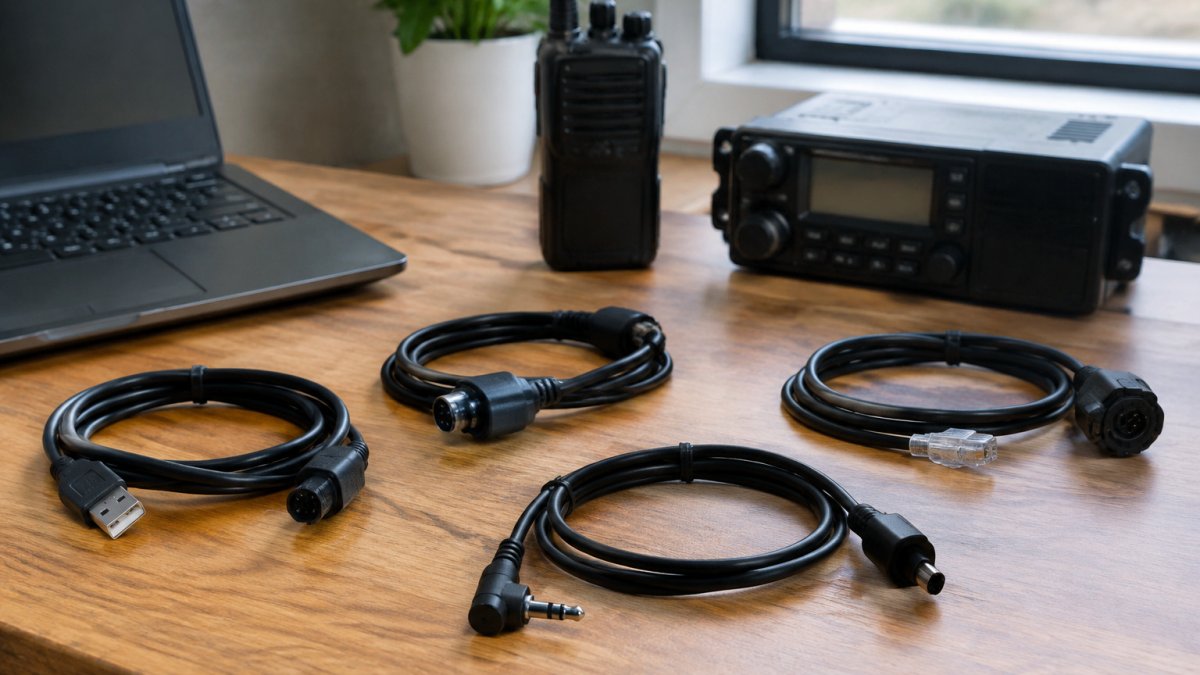
Mobile radios use a small number of connector families, and knowing which one your radio has is the first compatibility check:
- Modular (RJ-style) plugs, common on many current mobile rigs and some handhelds. They look like telephone or Ethernet plugs but are wired for radio data, so a generic phone cable will not work even if it fits.
- Round multi-pin DIN-style connectors, found on older mobile models and some entry-level rigs. Pin count and pinout vary by manufacturer, so one brand's 8-pin cable may not match another's.
- Proprietary multi-pin plugs, used on many handhelds and a few mobile models. These almost always require a model-specific cable or adapter.
A compatibility matrix is the fastest way to avoid a return. Build one row per radio model and one column per kit component: cable connector, adapter required, chipset, driver source, software version listing the model, and supported OS. If any cell is blank or says "unknown," treat that kit as unverified for that radio.
Chipsets: what the cable is really doing
Inside a USB programming cable is a USB-to-serial converter chip. The three chipset families you are most likely to meet are FTDI, Silicon Labs (CP210x), and Prolific (PL2303). Each has a driver the operating system must load before the programming software can open a COM port.
- FTDI chips are widely supported with a long track record on current Windows versions, but counterfeit FTDI chips exist and can be disabled by a driver update.
- Silicon Labs CP210x chips are common in budget cables and generally install cleanly, but driver versions matter, an old driver on a mini-CD may not work on a current OS.
- Prolific PL2303 chips appear in many low-cost cables. Older variants have known driver conflicts on newer Windows releases, so confirm the chip revision before buying.
A cable that names its chipset and publishes driver information gives you more confidence in what you are buying.
What fits: a practical compatibility check
Before you buy, run these checks in order:
- Radio model, not brand. Confirm the software lists your exact model. A kit that covers the brand but not your model will not program your radio.
- Connector, including adapter. Confirm the cable's radio-end connector matches your radio's data port, and note whether an adapter is required. Each adapter adds a connection point that can loosen in a vehicle.
- Chipset and driver. Confirm the chipset is named and a driver is available for your OS.
- Operating system. Confirm the software and driver both support your version of Windows or macOS.
- Cable length and routing. For a vehicle install, measure from the radio's rear port to where the laptop will sit. A cable that is too short forces a tight bend at the connector, a common failure point.
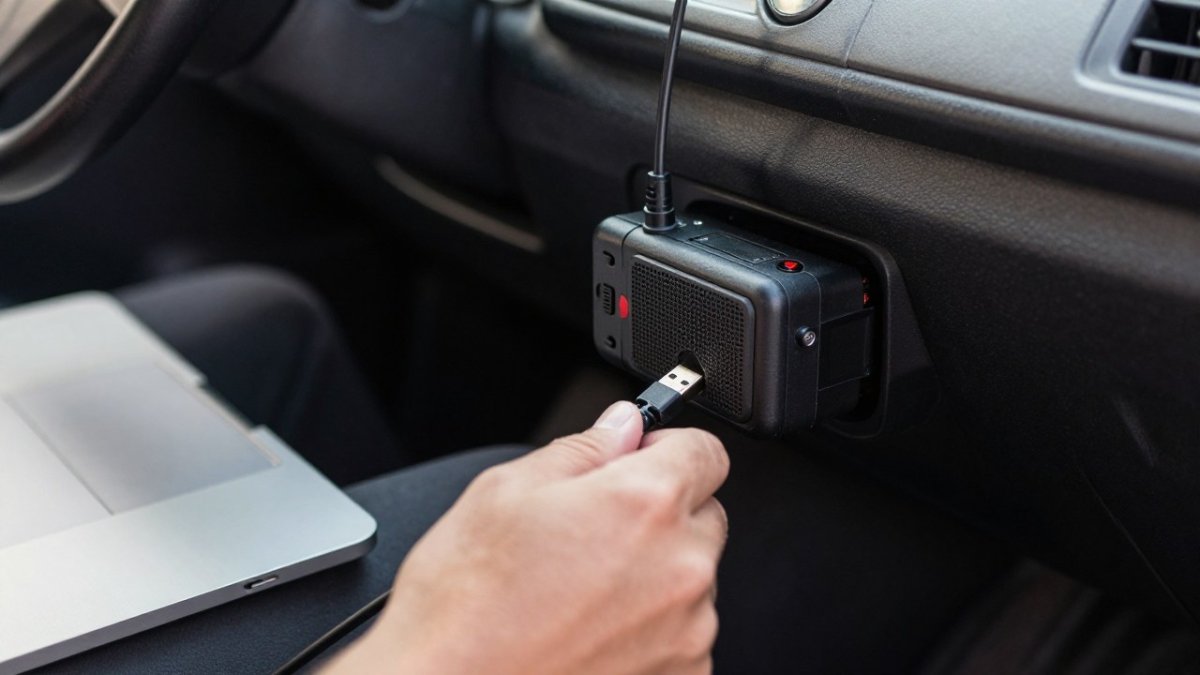
The end-to-end programming workflow
A programming kit is only as good as the workflow it supports. The practical sequence most practitioners follow is:
- Install the software and driver before connecting the cable, avoiding COM-port confusion from an unrecognized device.
- Connect the cable to the computer, then the radio. Confirm it appears in Device Manager without a warning icon and note the COM port.
- Read the radio into the software to create a baseline you can restore.
- Edit the configuration, channels, names, groups, scan lists, power settings, in the software, not on the radio keypad.
- Validate before writing. Check for duplicate channels, out-of-range frequencies, and power settings exceeding your license.
- Write to the radio, then read it back once to confirm.
- Save the configuration file with the radio model and date in the filename.
Watch out: writing a configuration that includes transmit-capable frequencies you are not licensed to use may create regulatory problems, so validate frequencies and power limits before the write step, not after.
For a side-by-side look at what separates a reliable cable from a bargain-bin one, compare the programming cables that work on the first try.
Fixing a Radio Programming Cable Driver Error Without Losing a Weekend
A radio programming cable driver error almost always traces to one of three causes: a missing driver, a driver installed for the wrong chip, or a COM port conflict. Work through them in that order.
Open Device Manager and check whether the cable appears with a warning icon. If it does, note the chip name and install the matching driver.
If you have swapped cables or USB ports recently, a stale driver can linger and confuse the system. When a step-by-step walkthrough would help, follow this driver fix guide rather than guessing at registry edits.
Total Cost of Ownership: Kits vs. Free Software vs. OEM Tools
Total cost of ownership is where the cheap option stops looking cheap. Most buyers compare the radio price and stop there, but a mobile setup has a longer list of line items, and comparing kits, free software, and OEM tools on upfront price alone hides later costs.
The full line-item list for a mobile setup
A realistic mobile setup includes more than a radio and a cable. Components commonly purchased include:
- Radio, the largest single line item and the one most buyers anchor on.
- Programming kit, cable, software license, and any adapter for your radio's connector.
- Antenna, a mobile antenna and mount, priced by band coverage and mount type.
Quoting only the radio price understates the real cost of getting on the air. Radio programming kits are usually the smallest line item, which is exactly why skimping on them is a poor trade: a failed cable or locked license costs more in time than the kit ever saved.
Comparing the three options honestly
| Option | Upfront cost | Time to first program | Hidden costs | Best for |
|---|---|---|---|---|
| Budget kit | Moderate, one purchase | Short, driver included | Adapter if connector differs; spare cable | Beginners and mixed fleets |
| Free software | None for the license | Long, driver hunt likely | Cable purchase, time, missing model support | Tinkerers with one radio |
| OEM tool | Varies by model | Moderate, per-model learning | Per-model licenses, limited bulk tools | Single-radio owners |
The free-software row misleads most often. The license costs nothing, but you still need a cable, and time spent hunting drivers and retyping channel lists is a real cost. OEM tools avoid some friction but tend to be model-specific, sparingly documented, and awkward across a mixed fleet. If you have wondered why manufacturer software feels like a chore, this explanation of why OEM radio software is difficult covers the reasons.
The costs that do not show up on a receipt
Some costs are easy to miss when comparing options:
- Time to first program. A kit with a known chipset and published driver gets you on the air in one sitting; a bargain cable with an unmarked chip can consume an evening.
- Rework. A cable that drops connection mid-write can corrupt a configuration, forcing a re-read and re-edit.
- Lock-in. A license tied to a single computer becomes a cost when you upgrade hardware. Check license terms before you buy.
Pricing varies by radio model and bundle, so check the RT Systems website for current prices or a quote. When you compare options, compare them on the full line-item list above, not on the radio price alone.
Matching a Kit to Your Mobile Setup and Your Radio
Match the kit to the radio first, then to the vehicle. Radio model determines the connector and the software license you need. Vehicle setup determines cable length and routing.
For a vehicle installation, plan the cable path before you buy. A cable from the radio's rear port to a laptop on the passenger seat needs enough length to avoid a tight bend at the connector.
Two practical checks:
- Confirm the software lists your exact radio model, not just the brand.
- Confirm the cable connector matches your radio's port, including any adapter required.
The kit is typically the smaller line item; the radio is usually the larger one.
Pick Your Radio and Order the Right Kit
The kit is not the expensive part of a mobile setup, which is exactly why skimping on it backfires.
RT Systems has more than 20 years of experience building programming software and cables for many radio brands.
Get started with RT Systems to make mobile radio programming simpler.
A mobile setup only works as well as its weakest connection, and that connection is usually the cable and driver pairing.
Frequently Asked Questions
Do radio programming kits include both a cable and software?
Some kits bundle both, but not all do, so check the listing before buying. Confirm the cable and software cover your specific radio model. If you already own compatible software, you can buy the cable alone. Confirm the cable's connector matches your radio's data port and that the software license covers your exact model before checkout.
How do I fix a radio programming cable driver error?
Start by identifying the chipset inside the cable, since driver errors usually come from a mismatch between the chip and the installed driver. Unplug the cable, remove any conflicting drivers in Device Manager, then install the driver the cable maker supplies for your operating system. Try a different USB port, ideally one directly on the laptop rather than a hub.
Are third-party radio programming cables reliable?
It depends on the chipset and build quality, not the brand name alone. The chipset and build quality both affect whether a cable connects reliably. Look for a cable maker that states the chipset and offers support when a connection fails.
Can I program a mobile radio from a laptop in my vehicle?
Yes, and many operators do exactly that. Connect the USB programming cable from your laptop to the radio's data port, keep the vehicle ignition on or the radio on a stable power supply, and run your programming software. Read the radio's current memory first so you have a backup, then edit channels and write them back. A laptop with a charged battery avoids voltage drops during a write, which can corrupt memory in rare cases.