 blog
7 Best Programming Cables for Mobile Radios Ranked
Last Updated: November 5, 2026
Quick Summary
The best programming cables for mobile radios are model-specific USB cables, ranked first because each is built for a named radio model and matched to its software. FTDI-chipped USB cables rank second for Yaesu mobile radios, while native USB-C cables suit current radios and newer laptops. Confirm your exact radio model, connector, chipset, and driver support before buying.
- Ranking weighed model fit, chipset, driver support, durability, and reach in a vehicle install.
- FTDI-chipped cables are the workhorse choice for Yaesu mobile radios, but clone chips are common.
- Native USB-C cables remove an adapter from the chain for current radios and newer laptops.
- Buy the shortest cable length that fits your route with slack, since very long runs can affect stability.
- A cable listing only the radio brand, not the model, is the fastest route to a device that never gets recognized.
Table of Contents
- Quick Comparison: 7 Programming Cables for Mobile Radios
- How We Evaluated These Programming Cables
- 1. RT Systems USB Programming Cables for Mobile Radios
- 2. FTDI-Chipped USB Cables for Yaesu Mobile Radios
- 3. USB-C Programming Cables for Current Mobile Radios
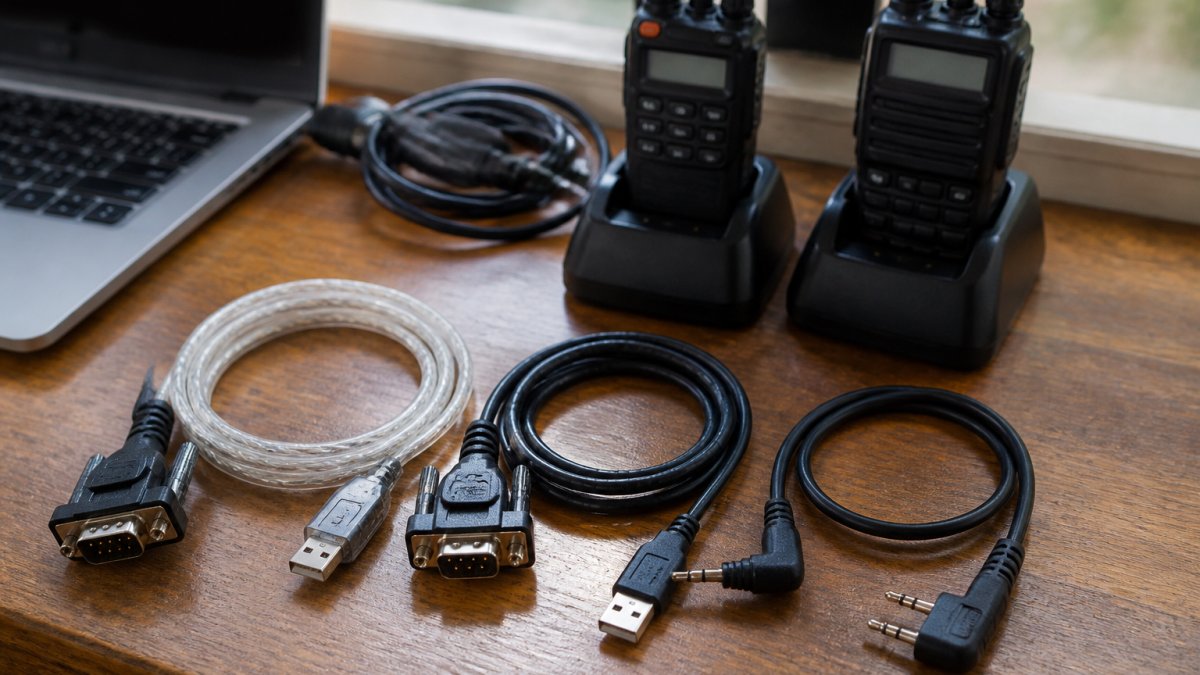
- 4. USB-to-Serial Cable for Radio Programming with RS-232 Connectors
- 5. Long-Run Cables for Mobile Radios Installed in Vehicles
- 6. Braided and Reinforced Programming Cables for Fleet Use
- What to Check Before You Buy
- Frequently Asked Questions
Quick Comparison: 7 Programming Cables for Mobile Radios
The right programming cable is the difference between a five-minute memory update and an afternoon of driver errors.
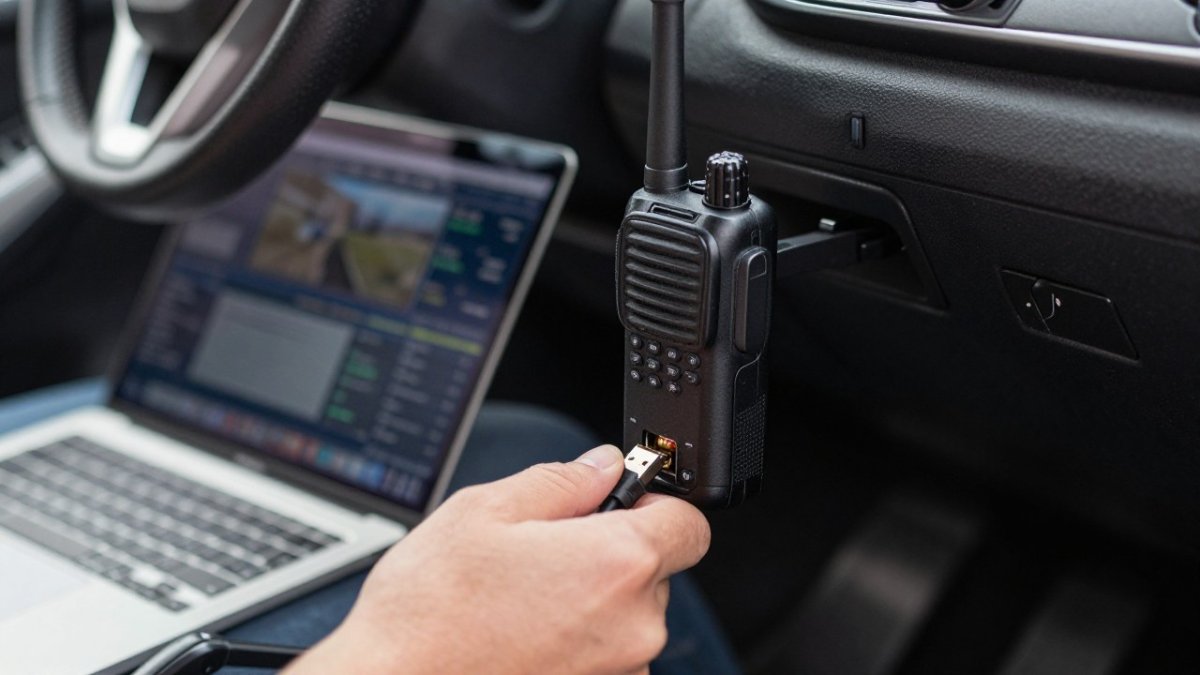
A radio programming cable is the physical link that lets a computer read from and write to a radio's memory channels, settings, and firmware.
Below is our ranked comparison of seven cable types, followed by the evaluation criteria and a closer look at each option. Where compatibility depends on the exact model, we say so rather than implying universal fit.
| Rank | Cable Type | Best For | Typical Connector | Key Strength | Mobile-Radio Notes |
|---|---|---|---|---|---|
| 1 | RT Systems model-specific USB cables | Most mobile radios from major brands | Model-specific plug to USB-A | Matched to your exact radio and software | Each cable is built for a named radio model; confirm the model on the product page before ordering |
| 2 | FTDI-chipped USB cables | Yaesu mobile radios | USB-A to radio data plug | Stable FTDI chipset with broad driver support | Verify the seller states genuine FTDI, not a clone chip; common for Yaesu mobile models with a USB data port |
| 3 | Native USB-C programming cables | Current mobile radios and newer laptops | USB-C to radio data plug | No adapter in the chain | Best when both the radio and laptop expose USB-C; confirm the radio supports a USB-C data connection |
| 4 | USB-to-serial (RS-232) cables | Legacy mobile radios with a true serial port | USB-A to DB9 | Bridges older serial ports to modern computers | Expect COM-port assignment and driver setup; match the adapter chipset to your operating system |
| 5 | Long-run vehicle cables | In-vehicle installs with dash- or seat-mounted radios | Extended-length model-specific or USB | Reaches the radio without removal | Buy the shortest length that fits your route with slack; very long runs can affect stability |
| 6 | Braided and reinforced cables | Fleet, club, and shared-kit use | Reinforced jacket, model-specific plug | Survives repeated coiling and handling | Still must match each radio model; reinforcement does not fix a wrong connector |
| 7 | Right-angle and low-profile cables | Tight dash and under-seat installs | Angled model-specific or USB plug | Clears obstructions behind the dash | Useful where a straight plug hits trim or wiring; confirm the angle direction fits your port orientation |
If you want a broader buying walkthrough before committing, our guide on how to choose the best amateur radio programming cables covers connector types and software pairing in more depth.
How We Evaluated These Programming Cables
Ranking came down to five things: whether the cable is built for a specific radio model, which interface chipset it uses, driver installation across operating systems, real-world durability, and whether it can reach a mobile radio installed in a vehicle.
The table below summarizes what to expect by platform. Always confirm the current driver on the cable maker's support page before buying.
| Platform | Typical driver situation | USB-C adapter notes |
|---|---|---|
| Windows 10 and 11 | FTDI-based cables usually install from the OS driver store; older serial adapters may need a vendor driver | A USB-C to USB-A adapter generally works, but each extra link is a place device recognition can fail |
| macOS (current releases) | FTDI and many USB-serial chipsets are supported, but older vendor drivers may lag new OS releases | Native USB-C cables avoid dongle issues on current laptops |
| Linux | FTDI and common USB-serial chipsets are typically recognized by the kernel; permissions on the serial device may need adjustment | USB-C works at the hardware level; confirm the programming software runs on your distribution |
Troubleshooting by symptom. Most cable problems present in a few recognizable ways, and matching the symptom to a check saves time:
- Radio not recognized or no COM port appears. Confirm the cable is seated in the radio's data port, not the mic or antenna jack; try a different USB port; reinstall the driver; on serial adapters, check Device Manager for the assigned port.
- Software connects but read or write fails partway. Shorten the cable run if using an extension, remove any unpowered hub, and retry.
- Works on one computer but not another. Compare driver versions and operating systems.
Here is a checklist for anyone comparing cables:
- The listing names your exact radio model, not just the brand
- The connector matches your radio's data port, not its antenna or mic jack
- The chipset is stated (FTDI is the common stable choice)
A common mistake is buying on connector shape alone. That is the failure mode our guide to why radio programming cables fail breaks down in detail.
Because dependable programming starts with a secure connection at the radio, durable charging cables are worth considering wherever mobile equipment needs reliable power.1. RT Systems USB Programming Cables for Mobile Radios
Our top pick is the RT Systems USB cable.
The cables pair with RT Systems programming software, which offers an easy-to-use interface for complex radio settings and helpful frequency databases. If you hit a driver snag, our guide on how to fix radio driver errors walks through the fix.
Pros and Cons
Pros:
-
Designed for a specific radio model, which cuts compatibility guesswork
-
Phone and email tech support, plus setup videos
-
Backed by more than 20 years of experience
-
Model-specific design means you buy the cable that fits your radio, not a one-size-fits-all option
-
Pricing depends on the cable and software bundle, so check the RT Systems, Inc. website for current pricing or a quote
Best for: Anyone who wants reliable programming on the first attempt and does not want to debug chipsets. Skip if: You only need a single one-off read and already have a known-good cable for that radio.
2. FTDI-Chipped USB Cables for Yaesu Mobile Radios
For Yaesu mobile radios, an FTDI-chipped USB cable is the workhorse choice. The FTDI chipset has broad driver support.
The catch is that "FTDI-chipped" is a claim, not a guarantee. Cheap cables sometimes use clone chips that fail driver checks or drop the connection mid-transfer.
Pros and Cons
Pros:
- FTDI chipset generally installs cleanly across Windows versions
- Wide availability for Yaesu mobile models
- Stable data transfer for read and write operations
Cons:
- Clone chips are common and can cause driver errors
- Quality varies widely between sellers
Best for: Yaesu owners who want a proven chipset and know their exact model. Skip if: Your radio uses a different connector family or a newer USB-C interface.
3. USB-C Programming Cables for Current Mobile Radios
Newer laptops are dropping USB-A ports, and USB-C programming cables solve that without a dongle. For current mobile radios, a native USB-C cable keeps the connection stable and removes one adapter from the chain.
Pros and Cons
Pros:
- Fits current laptops without an adapter
- Fewer connection points, so fewer failure modes
- Clean setup for newer radio models
Cons:
- Not every older radio supports a USB-C interface
- Confirm your radio model and operating system before buying
Best for: Owners of current mobile radios with modern laptops. Skip if: You run an older radio that needs a serial or model-specific connector.
4. USB-to-Serial Cable for Radio Programming with RS-232 Connectors
Some mobile radios still expose an RS-232 serial interface. A USB-to-serial cable for radio programming bridges that older port to a modern computer and remains the practical option for legacy gear.
The risk here is driver and COM port setup. If your adapter is not connecting, our guide to troubleshooting radio cable connection issues covers the common fixes, and knowing how to test an RS-232 port saves time before you blame the cable.
Pros and Cons
Pros:
- The right tool for radios with a true RS-232 port
- Works with older programming software that expects a serial COM port
- Widely available
Cons:
- More setup steps than a direct USB cable
- COM port conflicts and driver errors are more common
Best for: Legacy mobile radios with a serial data port. Skip if: Your radio offers a direct USB connection.
5. Long-Run Cables for Mobile Radios Installed in Vehicles
A dash-mounted mobile radio is often nowhere near where you want to sit with a laptop. Long-run cables reach from the radio's rear data port to a comfortable working position.
Length changes the electrical picture, though. Very long runs can introduce connection instability, so buy a length that fits your install with a little slack, not the longest cable available.
Pros and Cons
Pros:
- Reaches radios mounted under seats or deep in a dash
- Lets you program without removing the radio
- Useful for shop and install-bay work
Cons:
- Excess length can affect connection stability
- Measure your route before ordering
Best for: In-vehicle installs where the radio is hard to reach. Skip if: Your radio sits within arm's reach of your laptop.
6. Braided and Reinforced Programming Cables for Fleet Use
Fleet and club use is hard on cables. They get coiled, uncoiled, stuffed in bags, and shared across radios. Braided and reinforced programming cables trade a little flexibility for a jacket that survives repeated handling.
For anyone buying in quantity, our guide on how to buy high quality ham radio cables covers what to look for in bulk purchases. Match the reinforced cable to each radio model in the fleet rather than assuming one cable covers all of them.
Pros and Cons
Pros:
- Reinforced jacket resists wear from repeated use
- Better for shared club and fleet kits
- Reduces replacement frequency
Cons:
- Can be stiffer and less packable
- Still needs to match each radio's connector
Best for: Clubs and fleets sharing cables across many radios. Skip if: You program one radio occasionally at a desk.
What to Check Before You Buy
The pattern across all seven options is the same: compatibility beats features. Confirm your radio model, connector, chipset, and driver support for your operating system, and programming stops being a fight.
Watch out: buying a cable that lists only the radio brand, not the model, is the fastest route to a device that never gets recognized.
Frequently Asked Questions
How do I choose a programming cable for a mobile radio?
Start with the connector on your radio, not the plug on your computer. Mobile radios use several connector styles, and the cable must match your exact model, not just the brand. Check whether your radio needs a USB connection or an RS-232 serial port, then confirm the cable lists your model by name. A labelled, tested cable from a seller that publishes model compatibility is far safer than a generic listing that mentions only the brand.
Why is my radio programming cable not connecting?
Most connection failures trace back to one of three things: the wrong COM port selected in the software, a missing or outdated driver, or a cable that simply does not match the radio model. Open Device Manager and confirm the cable appears without a warning icon, note which COM port it claims, and select that same port in your programming software. If the cable never appears at all, test it on a second computer before assuming the radio is at fault.
Do mobile radio programming cables need drivers?
USB cables with an FTDI chipset usually need a driver, though many operating systems install one automatically. If the cable shows up in Device Manager with an error, install the current driver from the chipset maker or the cable seller, then replug the cable. Older RS-232 setups rely on the computer's serial port or a USB-to-serial adapter, which also needs its own driver. Keep the driver installer saved so a new computer does not stall your setup.
Can one programming cable work with multiple radio models?
Sometimes, but only within a family of radios that share the same connector and pinout. Many mobile radios from the same brand and era use an identical data port, so one cable covers several models. Mixing brands rarely works because the connector shape or wiring differs. If you manage a mixed fleet, a multi-radio adapter kit with clearly labelled connectors beats guessing, and it keeps each cable tied to the model it was tested against.
Programming a mobile radio should take minutes, not an afternoon of driver hunting. RT Systems, Inc. builds model-specific cables and matching software backed by more than 20 years of experience, phone and email tech support, and setup videos that walk you through the first connection. Get started with RT Systems, Inc. and program your mobile radio with a cable built for your exact model.