 How-to
How to Coordinate a Repeater Frequency Pair Correctly
Quick Summary
Repeater frequency coordination means getting your repeater's frequency pair approved by a regional coordinator before you transmit, so it does not interfere with nearby stations. Contact the coordinator for your area early, prepare complete site and power data, and wait for a written assignment before turning the repeater on.
- Find the frequency coordinator who serves the area where your repeater will operate.
- Do not assume a quiet frequency is open, since idle repeaters can still belong to others.
- Use antenna height above average terrain (HAAT), not mast height, on your application.
- Keep receive and transmit frequencies correct and check them against your approval.
- Wait for a written assignment before you transmit on the repeater.
Table of Contents
- Why Repeater Frequency Coordination Matters Before You Transmit
- How to Coordinate a Repeater: Who to Contact and When
- Preparing Your Repeater Coordination Application
- Selecting a Repeater Frequency Pair Within the Band Plan
- Documenting Settings in Radio Programming Software for Repeater Settings
- Measuring and Troubleshooting Interference After Installation
- Your Next Step: Submitting a Coordination Request
- Frequently Asked Questions
Why Repeater Frequency Coordination Matters Before You Transmit
Repeater frequency coordination is the process of getting a repeater frequency pair approved so it does not interfere with other stations.
Radio operators often run into trouble when they skip the coordination step.
A common mistake is assuming a frequency is open because nobody is talking on it at the moment.
Coordination also protects you. A coordinated pair gives your repeater a documented place in the local plan.
- Fewer conflicts: Your pair is checked against nearby repeaters.
- Clear records: Your coordinator keeps a documented assignment.
- Better coverage: Proper site and power choices reduce interference.
How to Coordinate a Repeater: Who to Contact and When
Coordination is handled by a frequency coordinator, usually a volunteer or a recognized group for your region (Frequency Coordinators).
Many coordinators publish their application forms and policies online. Read those first, since each one may have different rules for band segments, power limits and site details.
Follow these steps:
- Identify your coordinator. Search for the group that covers your location.
- Review the policy. Note required forms, fees (if any) and response times.
- Gather your data. Collect the technical details listed in the next section.
- Submit your request early. Allow time for review and possible questions.
- Wait for approval before transmitting. Do not turn on the repeater until you receive a written assignment.
Timing matters. Submit your request well before your planned on-air date so there is room for follow-up questions.
Preparing Your Repeater Coordination Application
A complete application moves faster. Missing or inconsistent details are the most common reason for delays, and most coordinators will return a request rather than guess at your intent. Prepare this information before you submit:

- Owner and call sign: Who holds the license and the station call sign.
- Site location: Exact address or coordinates, plus the ground elevation.
- Antenna height above average terrain: Often abbreviated HAAT.
Write these details clearly and double-check every number. A typo in the power level or antenna height can change how the coordinator judges interference.
Turning Site Data Into the Numbers the Form Asks For
Most of the fields on a coordination form are derived, not guessed. Work them out in this order so the numbers stay consistent:
- Ground elevation. Pull it from a USGS topographic map or a published elevation service for your exact coordinates, not the nearest town.
- Antenna height above average terrain (HAAT). HAAT is not the height of the mast above the ground. It is the average of the terrain elevations along radial paths from the site, subtracted from your antenna's elevation above sea level. Many coordinators publish a HAAT worksheet or accept the value from a coverage tool; use the same method they specify so your number matches their check.
- Transmitter power and antenna gain. Use the radio's rated output and the antenna's published gain. Convert gain to dBd or dBi exactly as the form requests; mixing the two is a common source of error.
- Effective radiated power (ERP). ERP combines transmitter power, feedline loss and antenna gain. Compute it once and carry the same figure through every field.
Watch out: entering antenna height as mast height instead of HAAT can make a site look far more favorable than it is, and coordinators who recompute it will flag the discrepancy.
A Pre-Submission Worksheet
Before you hit submit, build a one-page worksheet that mirrors the application. A common pattern among experienced applicants is a simple table with four columns: field name, value, source, and checked-by. Fill it in like this:
- Call sign: from the license record, verified against the FCC Universal Licensing System database.
- Coordinates: decimal degrees to at least four places, cross-checked against a map.
- Ground elevation: source noted (map name or service).
A completed worksheet also serves as your record after approval. Keep a copy of everything you send, because you will need it when you update the station later.
What Coordinators Actually Reject
Most returned applications share a handful of causes. A request that lists a frequency pair without the offset, omits the tone, or states power in vague terms ("about 50 watts") usually comes back for clarification. So does a site description that names a landmark instead of coordinates. If your system will be linked or use a digital mode, say so in the intended-use field; a coordinator who assumes a conventional analog repeater may assign a pair that does not fit your actual configuration.
Selecting a Repeater Frequency Pair Within the Band Plan
A repeater uses two frequencies: an input that receives your signal and an output that transmits to users. The gap between them is the offset. Your coordinator will check the pair against the regional band plan, which sets where repeaters may operate.
Band plans divide each band into segments for different uses, such as repeaters, simplex calling and digital modes. Pick a pair that sits inside the repeater segment and matches your coordinator's requirements. Do not choose a pair just because it looks empty.
Your choice should also consider:
- Channel spacing: Keep enough distance from nearby active channels.
- Offset direction: Follow the local standard for that band.
- Tone access: Any CTCSS or DCS tone should match regional practice.
Checking Existing Use and Geographic Separation
Before you apply, research the frequency. Use published repeater directories and listen before you transmit. A quiet channel still can be assigned to another station.
Geographic separation is the distance between your repeater and any station using the same or a nearby frequency.
- Check local repeater lists for the same and adjacent frequencies.
- Note the distance to the nearest active repeater.
- Mention any planned linked or digital operation in your request.
Co-channel interference happens when two stations share a frequency. Adjacent-channel interference happens when signals spill onto a neighboring frequency. Both can make a repeater hard to use.
Documenting Settings in Radio Programming Software for Repeater Settings
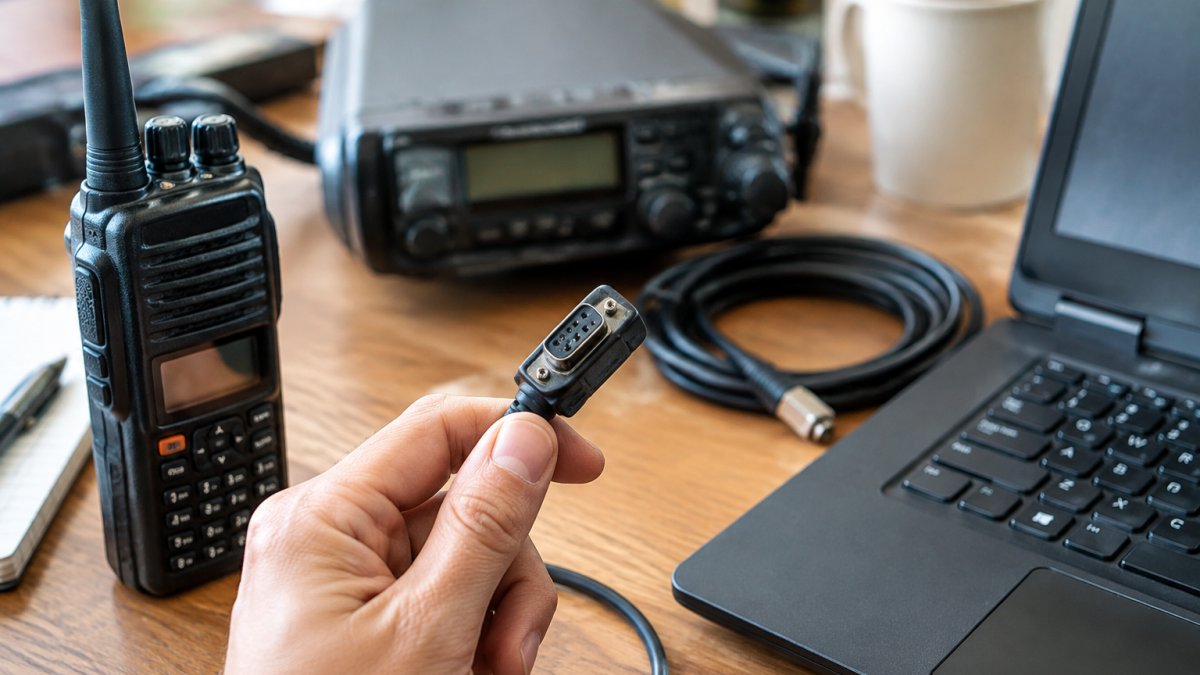
Once you have an approved pair, record it accurately in your radio programming software.
Enter these fields for each channel:
- Receive frequency
- Transmit frequency (or offset)
- Tone or DCS settings
Watch out: entering the receive and transmit frequencies in reverse can make the repeater appear to work while users cannot hear you.
Keep your settings file and a printed copy of your coordination letter together.
Once your pair is approved, record each channel's settings so they are easy to check and restore later.
| Field | What to enter | Common error |
|---|---|---|
| Receive frequency | Repeater input from your approval | Confusing it with output |
| Transmit frequency | Repeater output, or the offset | Reversing receive and transmit |
| Tone or DCS | Value matching regional practice | Mismatched or missing tone |
| Power level | Level listed in your coordination record | Running above approved power |
| Channel name and notes | Descriptive label plus coordination details | Leaving no record for later |
Measuring and Troubleshooting Interference After Installation
After your repeater goes on the air, test it with a method you can repeat and document. Listening casually and asking nearby users how it sounds will catch obvious problems, but it will not tell you whether interference is intermittent, directional, or caused by your own configuration. A short structured check does.
A Repeatable Interference Assessment
Run this sequence after installation and again after any change to the site, antenna, power level or programming:
- Baseline your own system first. With the repeater transmitting into a dummy load or at minimum approved power, confirm the programmed offset, tone and power level match your coordination record. Most apparent interference complaints trace back to a programming error, not a spectrum problem.
- Set up a monitoring receiver. Use a second radio with the same tone settings as your repeater, placed at a fixed location at the edge of your intended coverage. Note the receiver model, antenna and location so the test can be repeated identically.
- Monitor for a defined period. A single listening session proves little. Monitor during at least one weekday evening and one weekend period, since repeater use clusters around nets and scheduled activities. Log the start and end times.
- Record what you hear. For each event, note the time, the apparent source (another repeater, a simplex station, a digital burst, or unidentified), signal strength, and whether the interference appeared on the input, the output, or both.
- Check the adjacent channels. Co-channel interference shares your frequency; adjacent-channel interference spills over from a neighboring one. Tune one channel step either side and compare.
- Repeat from a second location. A problem heard at one spot may be local to that receiver. A second monitoring point separates a real repeater issue from a receiver or location artifact.
Separating the Common Causes
The symptoms usually point to a cause:
- Intermittent bursts at predictable times: often a scheduled net or a linked system on a nearby pair. Check published repeater directories and the coordinator's list before assuming a fault.
- Constant low-level noise or hum: usually an antenna, feedline or grounding problem at your site rather than another station.
- Interference only at the edges of coverage: often normal weak-signal behavior, not co-channel interference. Compare against the coverage you predicted from your HAAT and ERP figures.
Watch out: changing frequency, power or antenna height to chase interference without telling your coordinator can invalidate your assignment and create a new conflict.
Documenting and Escalating
Keep an interference log with the same fields every time: date, time, duration, frequency, tone, receiver location, signal report, and a short description. If the problem persists after you have confirmed your own programming and hardware, contact your coordinator with the log rather than a general complaint. A coordinator can compare your record against other assignments in the area and decide whether a power reduction, antenna change, or a new pair is warranted.
Your Next Step: Submitting a Coordination Request
Now you know what to prepare, who to contact and how to set up your channel. Start by finding your regional coordinator, read their current policy and gather your technical data.
If you want a clean way to store and move your repeater settings between radios, explore the RT Systems, Inc. programming software and cables, and contact the company for current pricing and details.
Frequently Asked Questions
What is repeater frequency coordination?
Repeater frequency coordination is the process of requesting and receiving approval for a specific frequency pair before a repeater goes on the air. A coordinator, typically a volunteer affiliated with a recognized coordinating body, reviews the proposed frequencies, location, antenna height and power against existing repeaters and operations in the area. The goal is to reduce co-channel and adjacent-channel interference so that licensed users can share the band. Coordination is not a federal license, but skipping it often leads to interference complaints from nearby operators and can force a costly move later.
How do I get a coordinated frequency assigned for a repeater?
Start by identifying the coordinator for your region, then research the band plan and the existing repeater database to find open frequency pairs near your site. Submit a coordination application with your site location, antenna height above average terrain, effective radiated power, ownership and the frequency pair you want. Coordinators may ask follow-up questions or propose an alternative pair. Once approved, keep a copy of the assignment with your station records. Processing times and fees vary by coordinator, so check the current policy before you apply.
Why should a repeater frequency be coordinated before installation?
Installing a repeater before coordination risks transmitting on a frequency already used by a nearby repeater or fixed operation. Co-channel and adjacent-channel interference can knock out both systems, and the owner may be asked to shut down or relocate. Coordination also helps you confirm that geographic separation is adequate for your planned coverage area. Checking first costs far less than reprogramming a dozen radios after a complaint. Coordinated frequencies also make it easier for other operators to program the repeater correctly.
How should I document repeater frequencies and settings?
Record the output and input frequencies, offset, tone squelch (CTCSS or DCS) code, power level, site coordinates, antenna height and the date of coordination in one place. Keep the coordinator's approval letter with the same records. Export your channel list from your radio programming software and save a dated backup each time you change a setting. Clear documentation makes it much easier to troubleshoot interference and to hand the system over to another trustee.